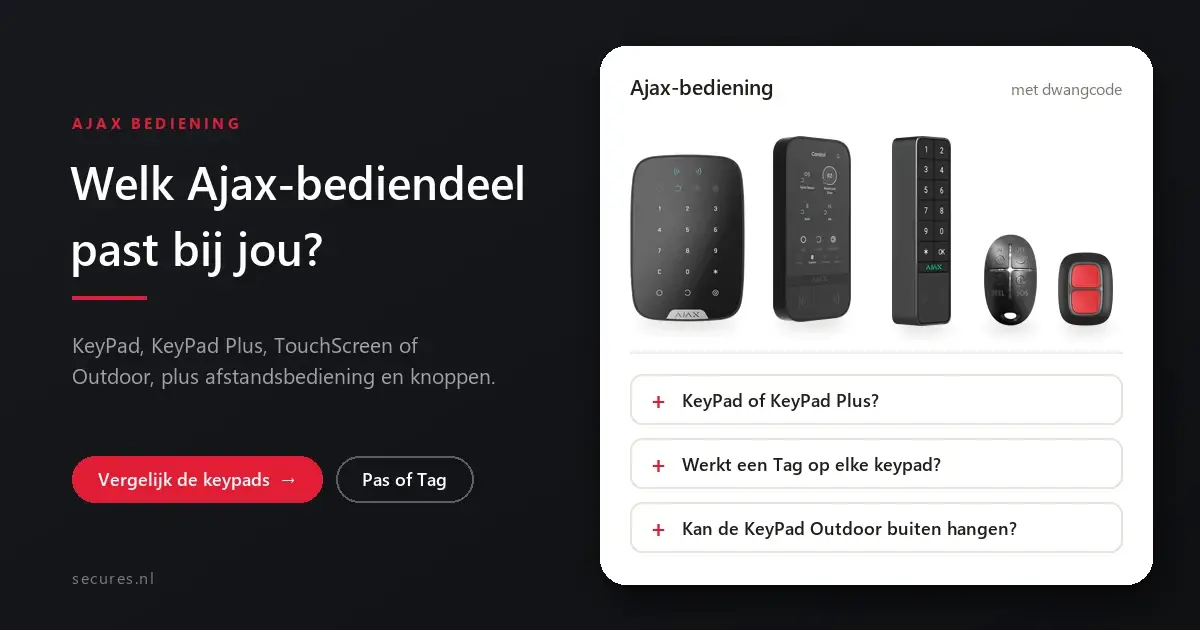
For most homes the Ajax KeyPad Plus is the best choice: you arm the system with a code or by holding a card or key fob to it. If you want to see the status of your system, choose the KeyPad TouchScreen, and for next to the front door outdoors the KeyPad Outdoor. There are also remote controls and panic buttons. Below we set all Ajax control devices side by side.
The four keypads side by side
| KeyPad | KeyPad Plus | KeyPad TouchScreen | KeyPad Outdoor | |
|---|---|---|---|---|
| Control | Code | Code, card or tag | Code, card, tag or phone (Bluetooth) | Code, card, tag or phone (Bluetooth) |
| Screen | None | None | 5-inch touchscreen | None |
| Location | Indoor | Indoor | Indoor | Outdoors and indoors, IP66 |
| Battery (as stated by Ajax) | 4x AAA, up to 2 years | 4x AA, up to 3.5 years | 6x AA lithium | 2x CR123A |
| Duress code | Yes | Yes | Yes | Yes |
| Price | € 95,50 incl. VAT€ 78,93 excl. VAT | € 119,95 incl. VAT€ 99,13 excl. VAT | € 297,95 incl. VAT€ 246,24 excl. VAT | € 169,00 incl. VAT€ 139,67 excl. VAT |
Good to know the batteries are already fitted on delivery. The battery life that Ajax states is an upper limit; in practice it depends on the location and how often you use the control device, and the app warns you when the battery is low. You can also connect the TouchScreen to a 12 V power supply, so that the screen stays on at all times. The prices are live from our webshop.
Card, tag or key fob
With a Pass (card), a Tag (key fob) or the more luxurious Metal Tag you arm and disarm by briefly holding it in front of the control device. They use DESFire technology and are therefore protected against copying. You need a KeyPad Plus, TouchScreen or Outdoor for this; the standard KeyPad has no reader. Useful for children, cleaners or staff: they do not need an app account, and if someone loses a card, you disable it in the app.
Remote control and panic buttons
SpaceControl
Remote control for your key ring, with buttons for arm, partial arm, disarm and panic. Range of up to 1,300 metres in open terrain. Also available as Lasering, with engraved labels next to the buttons.
Button
Small button as a panic button, help button or to start a scenario. A long or double press prevents false alarms; splash-proof (IP55).
DoubleButton
Panic button with two buttons that you press at the same time, with a divider between them to prevent false alarms. Suitable for a counter or till.
What suits you?
Family
KeyPad Plus at the front door, with a Tag for each family member. Nobody has to remember a code.
You want to see the status
KeyPad TouchScreen: you see the status of your system on screen before you leave the house.
Arming at the front door outdoors
KeyPad Outdoor next to the door, resistant to weather and impacts (IK08).
Elderly resident
SpaceControl Lasering with clear labels, plus a Button on a keycord to call for help.
Choosing Ajax control devices
What is the difference between the Ajax KeyPad and the KeyPad Plus?
Does an Ajax Tag work on every keypad?
How many keypads can I use?
Can I also mount the KeyPad Outdoor indoors?
Do Ajax control devices work on an AirShield hub?
More about Ajax
You can read everything about the system on one page at Ajax alarm system. These articles go into more depth on one component. You can find all articles under Ajax Systems.
Choosing your Ajax control device
Secures is an official Ajax PRO partner. View all control devices, or build your complete system.