
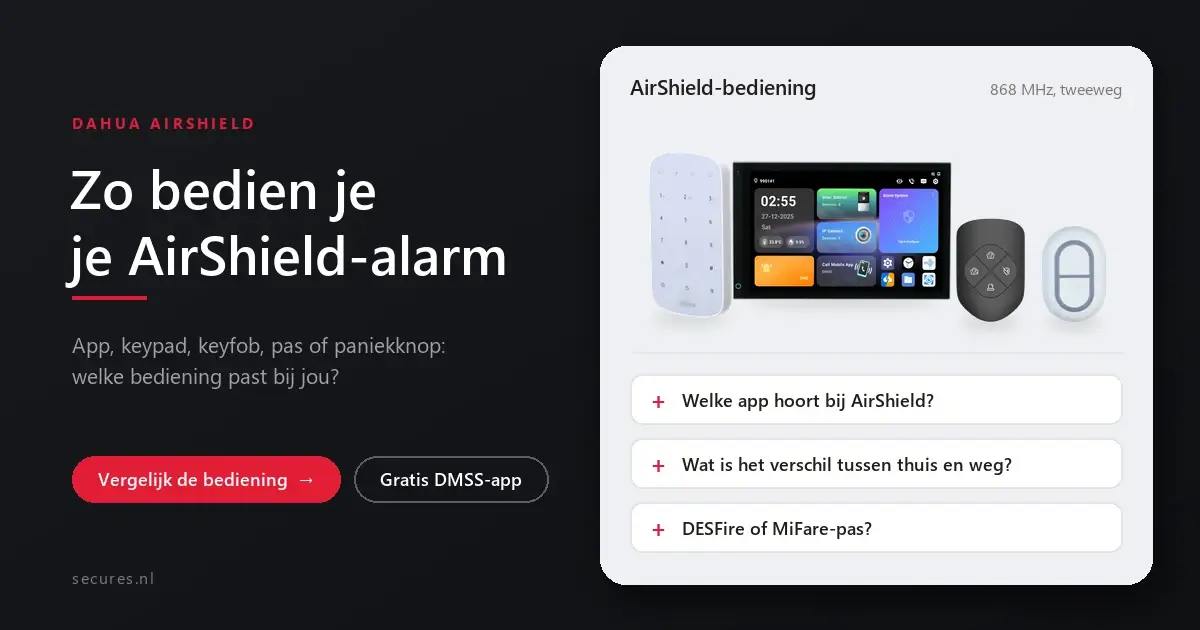
You operate an AirShield alarm with the free DMSS app on your phone, and also with a keypad, a remote control, a card or a panic button. Which one you choose depends on who lives in the house and how you use the system. Below you will find all the options side by side, with a recommendation for each situation.
The four ways to operate AirShield
DMSS app
Free, without a subscription. Arm and disarm, notifications and images on your phone.
Keypad by the door
With a PIN code or a card, convenient for anyone who does not use an app.
Keyfob
A small remote control for your key ring, with a button for home, away, off and SOS.
Panic button
Raise the alarm immediately in an emergency, from your bedside table or desk.
The control devices side by side
| Keypad | LCD Keypad | Keyfob | DoubleButton | |
|---|---|---|---|---|
| Control | PIN code or card | PIN code or card | 4 buttons: home, away, off, SOS | Press 2 buttons at the same time |
| Screen | None | LCD with status | None | None |
| Special feature | Up to 32 users, with event log | 2 cards included | Range up to 900 metres | Range up to 1,200 metres, splash-proof (IP54) |
| Price | € 72,50 incl. VAT€ 59,92 excl. VAT | € 127,75 incl. VAT€ 105,58 excl. VAT | € 21,25 incl. VAT€ 17,56 excl. VAT | € 21,25 incl. VAT€ 17,56 excl. VAT |
Good to know the ranges are those stated by Dahua in open field; indoors the range is lower because of walls and floors. All control devices work wirelessly on 868 MHz with two-way communication. The prices are live from our webshop.
What suits your situation?
Alone or as a pair
The DMSS app is often enough. Add a Keyfob for when your phone is flat or you want to leave quickly.
Family with children
A Keypad by the front door with a separate card for each family member. This way not everyone has to use the app, and the log shows who switched off the alarm and when.
Elderly resident
A DoubleButton by the bed or chair to call for help, and a Keyfob for daily arming and disarming.
Business or shop
An LCD Keypad showing the status, with a card for each employee, so that you can see the status of the system when you leave.
Which card should you choose?
On both keypads you can use a card instead of a PIN code. There are two types. The DESFire Card is encrypted and therefore much harder to copy; we recommend this one. The MiFare Card is cheaper, with a standard level of security. If someone loses a card, you remove it from the system and it no longer works.
Prefer a wall-mounted touchscreen?
With a Dahua Smart Control Panel, you operate the AirShield alarm, the video intercom and your cameras from a single screen. There is a 7 inch version, a 7 inch version with a built-in camera and a 10.1 inch version. Worth considering if you also have a Dahua doorbell or cameras.
Operating AirShield
Which app goes with AirShield?
Can several people operate the alarm?
What is the difference between home and away?
Why does the DoubleButton have two buttons?
Does an AirShield control device work with an Ajax system?
More about Dahua AirShield
You can read everything about the system on one page at Dahua AirShield alarm system. These articles go into more detail on one component.
What is Dahua AirShield?
How the system works, what it costs and whether you can install it yourself.
Choosing your AirShield controls
Secures is an official Dahua partner. Build your system with the controls that suit you, or view all control devices.


