
Camera footage in your Ajax app
With Ajax video surveillance, you bring camera footage together with your alarm in the same app. View live footage, receive footage with a notification and keep recordings locally. Cameras, storage and mounting, all integrated in Ajax.

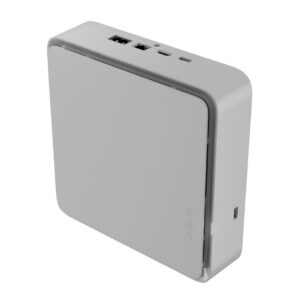
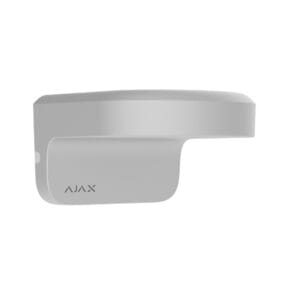
Putting together Ajax camera surveillance
A camera system consists of three parts: the cameras, a recorder for storage and the mounting materials. Choose what suits you for each part.
Ajax cameras
BulletCam, TurretCam and DomeCam. Choose infrared (black-and-white night vision), HL with white light (colour night vision) or HLVF with a motorised varifocal lens that you adjust remotely.
Ajax NVR & storage
Record centrally and continuously with a network video recorder, plus the matching hard disk. Local, without a subscription, the footage stays with you.
Accessories & mounting
Wall and corner brackets, mounting boxes and a PoE switch for a neat installation and power over a network cable.
Frequently asked questions
Which Ajax camera should I choose?
First choose the shape: a BulletCam points visibly in one direction (facade, driveway), a TurretCam is a versatile outdoor camera without a glass dome, and a DomeCam is barely noticeable. Then choose the illumination: infrared for black-and-white night vision, HL with white light for colour night vision, or HLVF with a motorised varifocal lens that you zoom in and out remotely.
Do I need an NVR?
Not necessarily. Each camera records by itself to a microSD card. An Ajax NVR is useful as soon as you want to record several cameras centrally and continuously on a hard disk.
Do I need an Ajax Hub?
Not for recording only. If you want to watch live and receive notifications in the Ajax app, visual verification of alarms and transmission to an alarm receiving centre, connect the cameras to an Ajax Hub (Hub 2 or higher).
Are there subscription costs?
No. Recording locally to microSD or NVR requires no subscription and the footage stays with you. Cloud storage is optional if you want to keep footage off-site.
Do the cameras work with other systems?
Yes, via ONVIF you can connect the cameras to common recording systems (VMS). For all functions and the app, you use the Ajax ecosystem.


