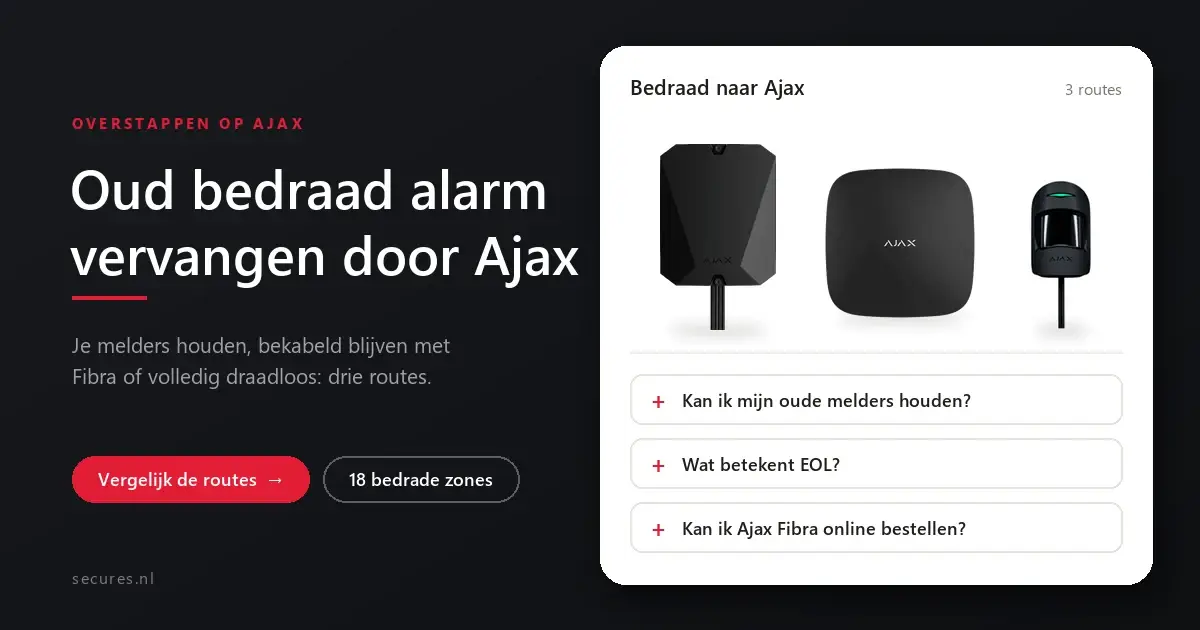
You can replace an old wired alarm with Ajax without having to remove all the cables. You can often simply keep your existing detectors, and the cables in the wall can sometimes be reused. There are three routes, and which one suits best depends on your detectors, your cables and how much you want to renew. Below we set them side by side.
Three ways to switch
Keeping your detectors
The MultiTransmitter connects your wired detectors to a wireless Ajax system.
Wired with Ajax
Ajax Fibra: new wired Ajax detectors, for those who want to stay wired.
Fully wireless
Everything new and wireless; the old cables stay unused in the wall.
The three routes side by side
| MultiTransmitter | Ajax Fibra | Fully wireless | |
|---|---|---|---|
| Existing detectors | Stay | Are replaced | Are replaced |
| Existing cables | Stay in use | Sometimes reusable | No longer needed |
| Chasing and breaking work | Hardly any | Depends on the cables | None |
| Order | In the webshop | On request, with installation | In the webshop |
| Suitable for | Working detectors, quick switch | Businesses, new builds and renovations | Homes, everything new in one go |
The MultiTransmitter: you keep your detectors
The Ajax MultiTransmitter 3EOL is a unit to which you connect the cables of your old detectors, instead of to the old control panel. It sends their alerts wirelessly to your Ajax Hub, and in the Ajax app you see each zone as an ordinary detector.
18 zones
Connects up to 18 wired detectors or zones, as NO, NC, EOL, 2EOL or 3EOL.
Power for your detectors
Works on 100-240 V and itself supplies 10.5-15 V to the connected detectors.
Backup power
There is room for a 12 V backup battery of up to 7 Ah, such as the MultiTransmitter battery. It is not included as standard.
Protected
Two tamper switches report it if someone opens the cover or removes the unit from the wall.
Good to know you always need an Ajax Hub with it. If you are starting over, a hub or kit plus a MultiTransmitter is a quick way to switch. After that, you expand wirelessly wherever nothing is installed yet.
Ajax Fibra: staying wired with Ajax
If you deliberately want to stay wired, for example in business premises or during a renovation, there is Ajax Fibra. This is the wired technology within Ajax Superior, the professional project line from Ajax. One cable provides power and data, lines can be up to 2,000 metres long, and the detectors are energy-efficient. With a hybrid hub you combine wired and wireless detectors in one system and one app.
On request Fibra and Superior are only available through accredited Ajax partners and cannot be ordered online. Secures is Ajax PRO certified and supplies and installs them on the basis of a quotation. We assess per property whether your existing cables can be used. You can read more on our pages about Ajax Fibra and Ajax Superior.
Starting over completely wireless
If your old detectors are getting on in years or you want photo verification and the latest features, replacing everything with wireless Ajax detectors is often the simplest option. You mount them without cables, and the old wiring stays unused in the wall. An Ajax starter kit is a logical start for this.
Find this out before you choose
Your detectors
The make and type of each detector, and whether they still work properly.
Your zones
How many zones there are and how they are connected, with or without an end-of-line resistor (EOL).
Your cables
Where they run and what condition they are in. A photo of the old control panel with the cables says a lot.
Replacing a wired alarm with Ajax
Can I connect my old wired detectors to Ajax?
What does EOL mean for an alarm?
Does my old alarm control panel have to be removed?
Can I order Ajax Fibra online?
Is wireless as reliable as wired?
More about Ajax
You can read everything about the system on one page at Ajax alarm system. These articles go into more depth on one component. You can find all articles under Ajax Systems.
Help with your switch
Unsure which route suits you? Send us a photo of your old control panel and a list of the detectors, and we will tell you what you can reuse.