


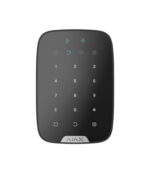
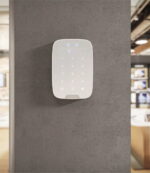
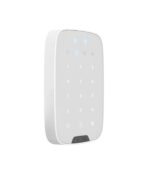
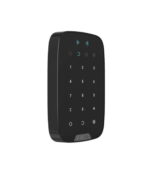



Ajax KeyPad Plus: operate your alarm with a code or contactlessly
A wireless keypad that you can use in two ways: with a personal code, or contactless by holding a card or tag in front of the panel. Ideal for a family or business where several people operate the alarm, without everyone needing the app.
The KeyPad Plus arms and disarms the system or individual groups. Besides codes, the panel reads contactless Pass cards and Tags with DESFire technology, so you can operate it without a code or account. With a duress code, you silently send an alarm to the alarm receiving centre, and after too many incorrect attempts the panel locks as protection against brute-force attacks. You manage access rights centrally in the Ajax app.
Why the KeyPad Plus
Contactless operation
Hold a Pass card or Tag in front of the panel and the system arms or disarms, without a code or app.
Also with a code
Prefer a numeric code? Each user gets their own personal code, in addition to the general code.
Duress code
Are you being forced to disarm? With a duress code, an alarm is silently sent to the alarm receiving centre.
Secure identification
DESFire cards and tags are copy-protected. After too many incorrect codes, the panel locks temporarily.
Years on batteries
Up to 3,5 years on the four pre-installed AA batteries. The app warns you well in advance.
Wireless mounting
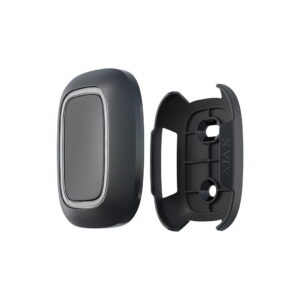
With the supplied SmartBracket, the panel can be mounted on the wall in a few minutes.
The KeyPad Plus in pictures
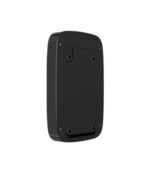
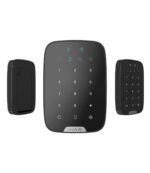
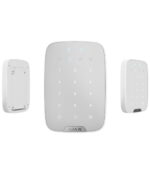
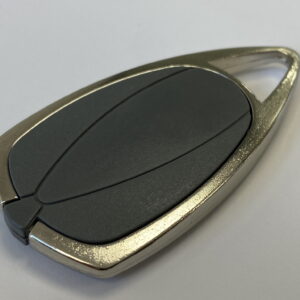
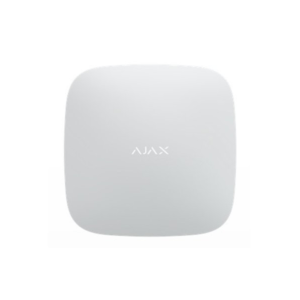
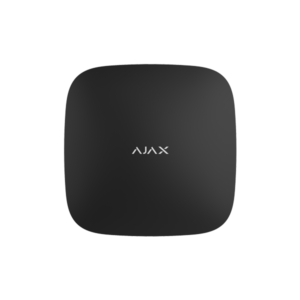
The panel in white and black and the contactless operation with a card or tag. See below what the KeyPad Plus looks like.


Mounted in a few minutes
Mount the KeyPad Plus with the supplied SmartBracket next to the door you use most, at roughly hip height. Use the supplied screws and plugs for a fixed mounting. The batteries are already installed, so you pair the panel with your Hub through the Ajax app in a few taps. You then add codes, cards and tags per user. A Hub is required to use the KeyPad Plus.
Technical specifications
| Control | |
| Type | Wireless keypad with code keys and a contactless reader, for indoor use |
| Control | Personal or general code, or contactless card or tag |
| Contactless | Ajax Pass, Tag and Metal Tag with DESFire technology |
| Modes | Full arming, partial arming (night mode) and disarming |
| Duress code | Silently sends an alarm to the alarm receiving centre |
| Security code | Temporary lockout after too many incorrect attempts |
| Communication | |
| Protocol | Jeweller, encrypted |
| Frequency | 868 MHz (depending on the region) |
| Radio range | Up to 1700 m in open field |
| Security | Frequency hopping, device authentication and tamper protection |
| Power supply | |
| Battery | 4x AA (pre-installed) |
| Service life | Up to 3,5 years |
| Housing | |
| Protection class | IP50 (for indoor use) |
| Dimensions | 165 x 113 x 20 mm |
| Weight | 267 g |
| Mounting | SmartBracket panel (included) |
| Operating temperature | -10 to +40 °C |
| Colours | White or black |
Which keypad suits you?
Code plus card and tag
The KeyPad Plus (this page) is operated with a code and contactlessly with a card or tag.
Frequently asked questions about the KeyPad Plus
Which cards and tags work with the KeyPad Plus?
The contactless Ajax Pass (card), the Ajax Tag (key fob) and the Metal Tag. All three use DESFire technology. The KeyPad Plus, KeyPad TouchScreen and KeyPad Outdoor read them; the standard KeyPad does not.
Does every user need the app?
No. That is exactly why the KeyPad Plus is useful: give someone a personal code, card or tag and that person operates the system without their own Ajax account or app.
What is a duress code?
A separate code that appears to disarm the system but at the same time silently sends an alarm to the alarm receiving centre. Useful if someone forces you to disarm.
How long do the batteries last?
Up to 3,5 years on the four pre-installed AA batteries. The Ajax app warns you well in advance when they need replacing.
In the box
Ajax KeyPad Plus
The wireless keypad with contactless reader, in white or black.
SmartBracket
Mounting panel for quick fixing to the wall.
Installation kit
Screws and wall plugs for mounting.
Four AA batteries
They come pre-installed, so you do not need to insert any batteries yourself.










Brian (verified owner) –
Great, works well.
Paul Poels (verified owner) –
The response of the device leaves something to be desired. It responds slowly and it is sometimes unclear what is happening. Colour would have been better used here to show certain actions: red for alarm, green for clear. The response when presenting tokens is not obvious either. We have been using the keypad for days now and have meanwhile got used to the keys.
Secures –
We checked remotely and explained that an error message was active, which made arming impossible. Because the Keypad Plus has no display, you need to check the app for the message. The keypad therefore did not respond badly; the error message blocked the action.