


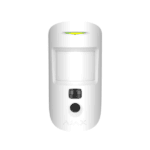



Ajax MotionCam: motion detector that takes photos on alarm
A pet-friendly indoor motion detector with a built-in camera. As soon as the detector raises an alarm, it immediately takes a series of photos, so you can see in the Ajax app what is happening and know at once whether it is a false alarm or a real break-in.
The MotionCam combines a passive infrared sensor with a camera. The photos are sent to your hub via the separate, encrypted Wings channel. This gives you an image with every alarm, so you do not have to guess. The camera only switches on in the event of an alarm, never on request, so your privacy remains protected. Please note: photo verification only works with a Hub 2 or Hub 2 Plus.
Why the MotionCam
Photo on alarm
Takes a series of 1 to 5 photos on every alarm, so you can see immediately what is happening.
Also in the dark
The built-in infrared illumination provides usable photos in low light or no light.
Notification with image
Push notification, alarm and photos arrive together in the Ajax app. No more doubt about whether it is a real alarm.
Pet-friendly
A PIR sensor with SmartDetect ignores animals up to 20 kg and 50 cm in height and keeps false alerts low.
Fully wireless
Alarms via Jeweller, photos via the separate Wings channel, both encrypted and up to 1700 metres in open terrain.
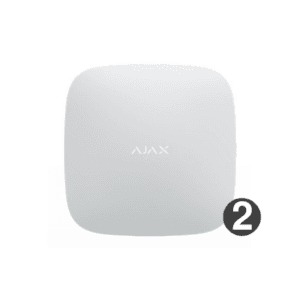
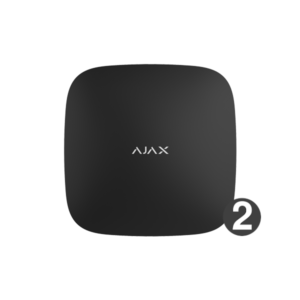
White or black
Choose the colour that best suits your wall and interior.
The MotionCam in pictures
The detector on the wall and the pet-friendly detection in practice. See below how the photo verification works.


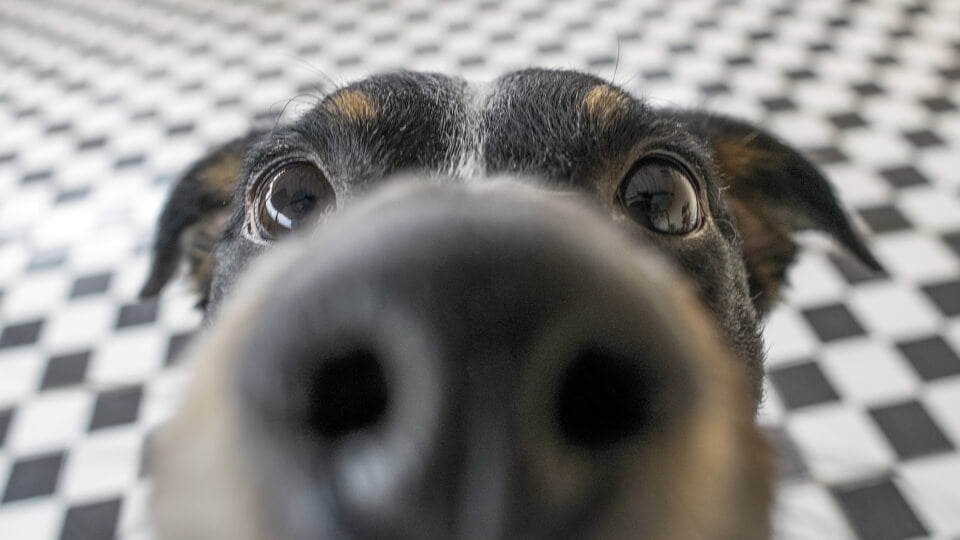
Photo verification in action
As soon as the MotionCam detects motion, the camera immediately takes a series of photos that you can see straight away in the Ajax app.
Install it yourself in a few minutes
Mount the detector with the supplied SmartBracket at a height of approximately 2.4 metres, with the lens facing the direction an intruder would walk in. Use the supplied screws and wall plugs for a secure fixing. The batteries are already installed, so you pair the MotionCam with your hub in one click via the Ajax app and then set the sensitivity and the photo settings. Make sure you have a Hub 2 or Hub 2 Plus, as only these process the photos. For outdoor use, choose the MotionCam Outdoor.
Technical specifications
| Detection | |
| Type | Wireless PIR motion detector with camera, for indoor use only |
| Detection range | Up to 12 m (when mounted at a height of 2,4 m) |
| Detection angle | 88,5° horizontal |
| Sensitivity | 3 levels, adjustable in the Ajax app |
| Pet immunity | Up to 20 kg and 50 cm high |
| False alarm prevention | SmartDetect algorithm |
| Photo verification | |
| Camera | Built in, only active during an alarm |
| Photo resolution | 640 x 480, 320 x 240 (default) or 160 x 120 px |
| Photos per alarm | 1 to 5 photos (1 to 3 at 640 x 480) |
| Illumination | Infrared illumination for photos in the dark |
| Compatibility | Hub 2 or Hub 2 Plus (required for photos) |
| Communication | |
| Protocol | Jeweller for alarms, Wings for photos, both encrypted |
| Frequency | 868 MHz (depending on the region) |
| Radio range | Up to 1700 m in open field |
| Security | Frequency hopping and anti-sabotage |
| Power supply | |
| Battery | 2x CR123A, 3 V (pre-installed) |
| Service life | Up to 4 years |
| Housing | |
| Dimensions | 135 x 70 x 60 mm |
| Weight | 170 g |
| Mounting | SmartBracket panel (included) |
| Recommended mounting height | 2,4 m |
| Operating temperature | -10 to +40 °C |
| Humidity | Up to 75% |
| Colours | White or black |
Which motion detector suits you?
Images with every alarm
The MotionCam (this page) takes photos on alarm, so you know indoors whether it is genuine.
No camera needed
Do you only want detection without photos? The MotionProtect is more affordable and works with any Ajax hub.
MotionCam or MotionCam PhOD?
Both detectors are identical, apart from the photo verification. The PhOD version takes photos not only on its own alarm, but also on request, according to a scenario (when another device such as a smoke detector, leak detector or panic button is triggered) and according to a schedule.
| Feature | MotionCam | MotionCam PhOD |
|---|---|---|
| Price | € 135,95€ 112,36 | € 149,95€ 123,93 |
| Photo on alarm | Yes | Yes |
| Photo on demand | No | Yes |
| Photo by scenario | No | Yes |
| Photo on schedule | No | Yes |
| Detection range | Up to 12 m | Up to 12 m |
| Pet immunity | Up to 20 kg | Up to 20 kg |
| Battery | 2x CR123A | 2x CR123A |
| View | This page | MotionCam PhOD |
Frequently asked questions about the MotionCam
Which hub do I need for the photos?
Photo verification works with a Hub 2 or Hub 2 Plus. On older hubs without photo verification, the MotionCam does work as a standard motion detector, but you will not receive photos. No suitable hub yet? View the Ajax StarterKit.
Does the camera record continuously?
No. The camera only switches on when the system is armed and an alarm occurs. You cannot request photos on demand, so your privacy remains protected. All images are sent and stored in encrypted form.
Do the photos also work in the dark?
Yes. The MotionCam has built-in infrared lighting, so you also get usable photos in low light or in the dark.
Will it trigger on my dog or cat?
No, provided it is installed correctly. The MotionCam ignores animals up to 20 kg and 50 cm in height. Mount the detector at a height of 2.4 metres and do not point the lens towards furniture that your pet can climb on. Pet immunity only works at the correct mounting height, angle and sensitivity, and a large or climbing dog or cat may still trigger an alert. Read Ajax's explanation of pet immunity.
Do I need a subscription?
No. The MotionCam and photo verification work without a mandatory subscription. Notifications and photos arrive free of charge in the Ajax app.
How long do the batteries last?
Up to four years on the two pre-installed CR123A batteries. The Ajax app warns you well in advance when replacement is needed.
In the box
MotionCam
The wireless motion detector with camera, in white or black.
SmartBracket
Mounting panel for quick fixing to a wall or corner.
Installation kit
Screws and wall plugs for mounting.
Two CR123A batteries
Already pre-installed in the detector, so you do not need to insert any batteries yourself.









Jeroen –
solid stuff!