


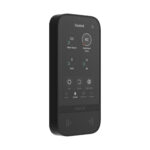


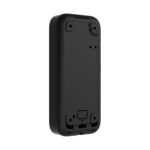

Ajax KeyPad TouchScreen: your entire system on one large display
A wireless keypad with a 5-inch touchscreen that feels like the Ajax app on the wall. You see the status of your system at a glance and operate it with a code, a card or tag, or your smartphone.
The KeyPad TouchScreen shows security groups, scenarios and faults on a clear screen and lights up as you approach. You arm and disarm with a personal code, contactless with a Pass or Tag (DESFire), or with your phone via Bluetooth. With a duress code, an alarm is sent silently to the alarm receiving centre. If you connect an external 12 V power supply, the screen stays on in Always On mode and the batteries serve as a back-up.
Why the KeyPad TouchScreen
Large 5-inch screen
A clear touchscreen with a layout reminiscent of the Ajax app, with the status immediately in view.
Three ways to operate it
You choose: a personal code, a contactless card or tag, or your smartphone.
Operating with your phone
Via Bluetooth (BLE) you arm and disarm the system without entering your code.
Overview and scenarios
View groups, faults and events and start scenarios directly from the screen.
Always On mode
With an external 12 V power supply the screen stays on at all times; the batteries then serve as a back-up.
Duress code
Are you being forced to disarm? With a duress code, an alarm is silently sent to the alarm receiving centre.
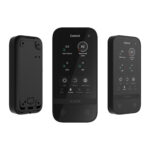
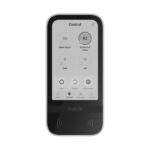
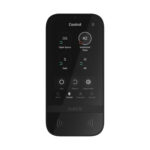
The KeyPad TouchScreen in view
The display in white and black and operation with card, tag or phone. See below what the panel looks like.


Mounted in a few minutes
Mount the KeyPad TouchScreen with the supplied SmartBracket next to the door you use most, at eye level. Use the supplied screws and plugs for a fixed mounting. The batteries are already fitted, so you pair the panel with your hub via the Ajax app and then set up codes, cards, tags and users. If you want the Always On mode, run a 12 V power supply to the KeyPad TouchScreen during installation; the batteries then serve as a backup. A hub is required to use the panel.
Technical specifications
| Screen and operation | |
| Type | Wireless keypad with touchscreen, for indoor use |
| Display | 5-inch touchscreen, lights up on approach |
| Resolution | 480 x 854 px |
| Control | Code, contactless card or tag, or smartphone via Bluetooth |
| Contactless | Ajax Pass, Tag and Metal Tag with DESFire technology |
| Display | Security groups, scenarios, faults and events |
| Duress code | Silently sends an alarm to the alarm receiving centre |
| Communication | |
| Protocol | Jeweller, encrypted |
| Frequency | 868 MHz (depending on the region) |
| Radio range | Up to 1700 m in open field |
| Security | Frequency hopping, device authentication and tamper protection |
| Power supply | |
| Battery | 6x AA lithium (pre-installed) |
| External power supply | 12 V for Always On mode (optional, not included) |
| Housing | |
| Type | For indoor use |
| Dimensions | 172 x 82 x 26 mm |
| Weight | Approximately 325 g |
| Mounting | SmartBracket panel (included) |
| Operating temperature | -10 to +40 °C |
| Colours | White or black |
Which keypad suits you?
Everything on one display
The KeyPad TouchScreen (this page) shows your system status on a 5-inch screen.
Frequently asked questions about the KeyPad TouchScreen
What is Always On mode?
By default the screen switches off to save battery and lights up when you approach it. If you connect an external 12 V power supply, the screen stays on continuously (Always On) and the batteries serve as back-up. The 12 V power supply is not included in the box.
Can I operate it with my phone?
Yes. Via Bluetooth (BLE) you arm and disarm the system without entering your code. You can also use codes, cards and tags.
Which cards and tags work?
The Ajax Pass, the Ajax Tag and the Metal Tag, all with DESFire technology. These also work with the KeyPad Plus and the KeyPad Outdoor.
Do I need a Hub?
Yes. The KeyPad TouchScreen is a control panel for an Ajax system and works together with an Ajax Hub.
In the box
Ajax KeyPad TouchScreen
The wireless keypad with 5-inch touchscreen, in white or black.
SmartBracket
Mounting panel for quick fixing to the wall.
Installation kit
Screws and wall plugs for mounting.
Six AA lithium batteries
They come pre-installed, so you do not need to insert any batteries yourself.














JCK (verified owner) –
Works well
Piet (verified owner) –
Very nice. I first had a standard KeyPad, but the KeyPad Touchscreen is much more pleasant to use! There is one drawback: you are better off connecting it to a 12 V power supply, as Secures advises, because otherwise you cannot update it and you will be replacing the batteries every 1.5 years… But it is definitely recommended!
Peter-Jan van Broekhuizen (verified owner) –
It works, but not entirely as I had expected. With some adjustments it comes close to what I had hoped for