


ocBridge Plus: Ajax detectors on a wired panel
Connect wireless Ajax detectors to almost any wired or hybrid alarm panel via separate zone outputs.
The ocBridge Plus turns any wired alarm system into a receiver for wireless Ajax detectors. The module translates the detectors into OC (open collector) outputs: 8 security zones and 4 service zones that you connect to the zone inputs of your panel. No special protocol is needed on the panel side; it works with the contact inputs the panel already has.
The ocBridge Plus receives up to 99 Ajax devices via the secure Jeweller protocol (two-way, up to 2,000 metres in open space) and is powered by 8-14 V DC. You set it up once with the Windows configurator via the miniUSB port. An Ajax Hub is not required: the ocBridge Plus is the receiver itself.
What the ocBridge Plus offers
OC outputs per zone
8 security zones and 4 service zones that you connect to the zone inputs of your panel.
Two-way Jeweller
Wireless, encrypted connection to the detectors up to 2,000 m in open space.
Up to 99 Ajax devices
Receives the wireless Ajax Jeweller detectors of your installation.
Windows configurator
Configured once via the miniUSB port, after which the module works independently.
Powered by 8-14 V DC
Connect to the power supply of your wired panel; USB is for setup only.
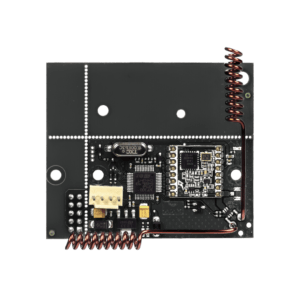
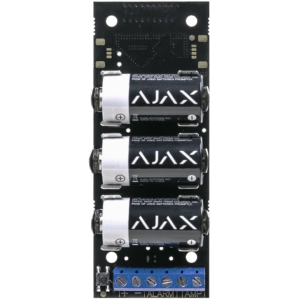
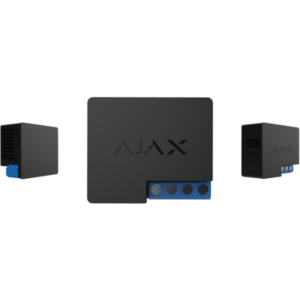
The module in pictures
The ocBridge Plus translates wireless Ajax detectors into zone outputs for a wired panel.

How to connect to your wired panel
Register your Ajax detectors with the ocBridge Plus and assign them to one of the 8 security zones. The four service zones report system events such as tamper and low battery. Each zone is an OC output that you connect to the corresponding zone input of your wired panel, exactly as you would connect a wired detector.
Setup is done once with the free Windows configurator via the miniUSB port. After that, the module works independently on 8-14 V DC. If you want a digital connection per device instead of zone outputs, see the uartBridge.
Key specifications
| Type | Receiver module: Ajax detectors to wired panel |
| Pairing | OC outputs (open collector) |
| Security zones | 8 |
| Service zones | 4 |
| Max. Ajax devices | 99 |
| Supported detectors | MotionProtect (Plus), DoorProtect, GlassProtect, CombiProtect, FireProtect (Plus), LeaksProtect, SpaceControl |
| Protocol | Jeweller, two-way, encrypted |
| Radio range | up to 2,000 m in open space |
| Power supply | 8-14 V DC (miniUSB 5 V for setup only) |
| Setup | Windows configurator via miniUSB |
| Temperature | -10 °C to +40 °C |
| Dimensions | 95 × 92 × 18 mm |
| Weight | 139 g |
| Ajax-hub | not required (the module is the receiver itself) |
Complete the system
Ajax Jeweller detectors
Works with the same wireless Ajax detectors: Motion, Door, Glass, Fire, Leaks, Combi and SpaceControl.
Any wired panel
The OC outputs connect to the zone inputs of almost any wired or hybrid alarm panel.
uartBridge or ocBridge Plus?
Both connect wireless Ajax detectors to a third-party system. Choose based on how the receiving system reads in the detectors.
| Feature | uartBridge | ocBridge Plus |
|---|---|---|
| Pairing | UART (digital data bus) | OC outputs (one contact per zone) |
| Output | status per device via protocol | 8 security zones + 4 service zones |
| Max. Ajax devices | 85 | 99 |
| Works with | system/smart home that reads UART | any wired panel with zone inputs |
| Power supply | 5 V DC | 8-14 V DC (USB for setup only) |
| Radio range (open space) | up to 2,000 m | up to 2,000 m |
| Dimensions | 64 x 55 x 13 mm | 95 x 92 x 18 mm |
| View | Ajax uartBridge | This page |
The uartBridge passes on the status per device via a digital UART bus, for systems that read that protocol. The ocBridge Plus provides separate contact outputs (zones) that suit almost any wired panel.
Frequently asked questions
Do I need an Ajax Hub?
No. The ocBridge Plus is itself the receiver for your Ajax detectors. You connect it to a wired or hybrid alarm panel; an Ajax hub is not required.
What type of panel does the ocBridge Plus work with?
On almost any wired or hybrid panel with zone inputs. The module provides 8 security zones and 4 service zones as OC outputs (open collector), which you connect as you would connect a wired detector.
How many Ajax devices can I connect?
Up to 99, distributed across the 8 security zones. The module works with the wireless Ajax Jeweller detectors (Motion, Door, Glass, Fire, Leaks, Combi and SpaceControl).
How do I set up the ocBridge Plus?
Once, using the free Windows configurator via the miniUSB port. After that the module works independently on 8-14 V DC.
What is the difference from the uartBridge?
The ocBridge Plus provides separate contact outputs (zones) that fit any wired panel. The uartBridge uses a digital UART data bus and passes on the status per device, for systems that support that protocol.
In the box
Ajax ocBridge Plus
The integration module with OC outputs.
Mounting kit
Mounting materials for installation.
Quick start guide
The quick start guide for getting started quickly.











Reviews
There are no reviews yet.