


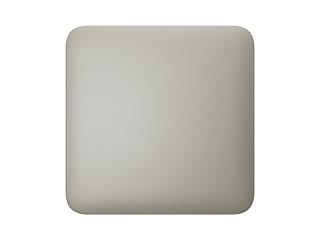
Ajax CoverPlate: neat blank plate
The Ajax CoverPlate is a cover for a flush-mounting box. It lets you neatly finish an unused mounting box, temporarily or permanently, so that the wall stays clean.
The design and colours are identical to the Ajax sockets and switches, so the CoverPlate fits seamlessly alongside the other components in the same Frame. The cover fits in both a horizontal and a vertical arrangement; you determine the orientation with the frame. It is a cover without electronics: it cannot be paired with a hub and cannot be operated via the app.
Please note: this is not a switch. Are you looking for the front (the touch panel) for a LightCore? That is the LightSwitch Button (horizontal) or the vertical version. The CoverPlate has no touch panel and does not fit on a LightCore.
What you use the CoverPlate for
Neatly cover an unused box
Conceal an empty or unused flush-mounting box with a neat cover plate in the same style as your switches and sockets.
Same design and colours
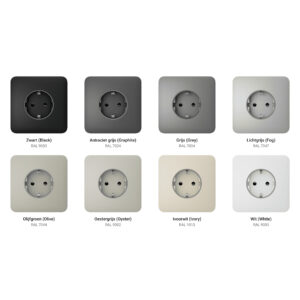
The same styling and colours as the Ajax LightSwitch and Outlet line, so that everything on the wall forms a whole.
Purely a finish
No electronics, no controls. Simply a neat, safe cover for the box.
What you need for a CoverPlate
1. The cover (this page)
Choose the colour and version above: SoloCover for a standalone cover, SideCover at the edge of a cover frame, CenterCover between two components.
2. CoverHolder, to be ordered separately
The holder that is screwed into the flush-mounting box; the cover clicks onto it. Horizontal: CoverHolder. Vertical: CoverHolder vertical.
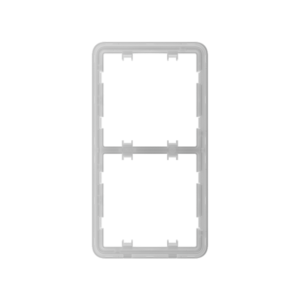
3. Frame for two or more components
If you combine the CoverPlate with switches or sockets, you need a Frame with the right number of positions.
Build your Ajax set
Combine switches, sockets and covers in one cover frame. With the Ajax configurator you drag the components, choose the colour and see the result immediately.
Technical specifications
| Cover plate | |
| Type | Blank cover plate for a flush-mounting box |
| Switch | No, not a touch panel: cannot be combined with a LightCore |
| Holder | CoverHolder (horizontal or vertical), to be ordered separately |
| Function | Conceal an unused mounting box, temporarily or permanently |
| Slim | No, no electronics or app control |
| Design | Same design and colours as the Ajax LightSwitch and Outlet range |
| Frame | Fits together with the other components in the Ajax cover frames |
| Orientation | Horizontal and vertical (the orientation is determined by the frame) |
Frequently asked questions
Is the CoverPlate the front of my LightCore?
No. The front (the touch panel) of a LightCore is the LightSwitch Button, available in 8 colours. The CoverPlate is a blank cover plate without electronics or a touch panel and does not fit on a LightCore.
What do I need for a complete CoverPlate?
A cover (SoloCover, SideCover or CenterCover, choose above) and a separate CoverHolder (horizontal) or CoverHolder vertical. If you combine several components in a row, you also need a Frame.
What do I use a CoverPlate for?
To neatly cover an unused flush-mount box, for example an old switch position that you do not (yet) use, in the same style as your Ajax switches.
Does it contain electronics?
No. The CoverPlate is purely a cover plate. It cannot be paired with a hub and cannot be operated via the app.
Does this fit my Ajax frame?
Yes. The CoverPlate has the same design as the rest of the line and fits alongside switches and sockets in a Frame.









Reviews
There are no reviews yet.