
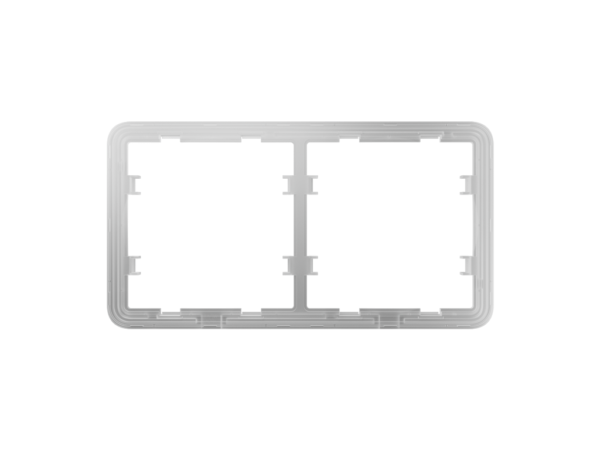


Ajax Frame 2-gang: cover frame for two components
The Ajax Frame 2-gang brings two components of the Ajax LightSwitch and Outlet series together behind a neat cover frame. This turns several switches and sockets into a tidy, connected whole in one place.
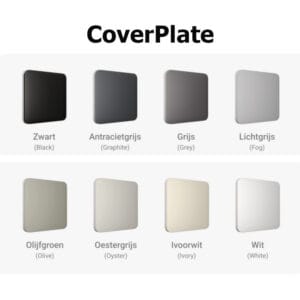
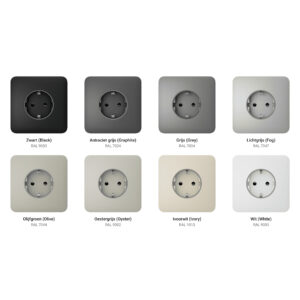
This is the horizontal version. You fit two LightCore switches, Outlet sockets or a combination into it, each with the matching touch panel. The frame has the same finish and matches the colours of the series.
How to build a 2-gang setup
Room for two
The frame holds two separate components side by side, so you can combine switches, dimmers and sockets as required.
Solo, Side and Center
For the components in the frame, you use SideButtons on the outer sides and CenterButtons for the in-between positions. This keeps the row neat and even.
Neatly finished
A cover frame 6.3 mm thick with neat edges. The touch panels click into it and can be removed later without switching off the power.
Build your Ajax switch set
With the Ajax configurator, you drag switches and sockets into a cover frame, choose the colour and see straight away what your set looks like. Send your configuration to us or save it as a PDF.
Technical specifications
| Cover frame | |
| Type | Ajax Frame 2-gang |
| Number of positions | 2 (two components) |
| Suitable for | LightSwitch switches and Outlet sockets |
| Type | Horizontal |
| Dimensions | 82,75 × 153,48 × 6,3 mm |
| Components | LightCore, touch panel and Outlet ordered separately |
Frequently asked questions
Are the switches included?
No. The frame is only the cover frame. The LightCore modules, touch panels and any Outlet sockets are ordered separately.
Can I mix switches and sockets?
Yes. In one frame you can combine LightSwitch switches, dimmers and Outlet sockets as you wish, up to two components.
What is the difference between horizontal and vertical?
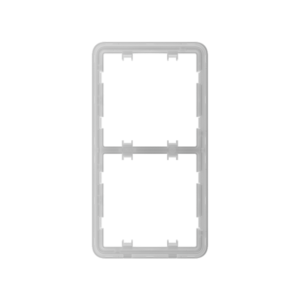
Only the direction in which the components are placed next to or above each other. Choose the version that suits how you want to position the switches.
Which buttons do I need?
For the positions in the frame, you use SideButtons (outer sides) and CenterButtons (in between). Use the configurator to put your set together without errors.









Reviews
There are no reviews yet.