


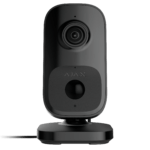
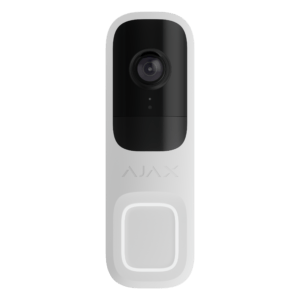
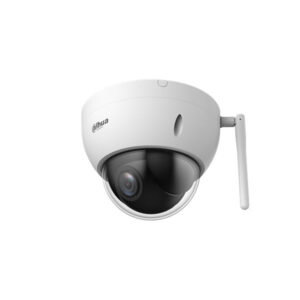
Ajax IndoorCam: indoor Wi-Fi camera with PIR and AI
A smart indoor security camera with 4 MP HDR video, built-in AI object recognition and a PIR motion sensor. View, listen and speak live via the Ajax app.
The IndoorCam combines the convenience of a Wi-Fi camera with professional security. The built-in AI recognises people, animals and vehicles, so you only receive notifications that matter. If you add it to an Ajax Hub, it gets a backup connection and starts recording automatically when an alarm is triggered.
Why the IndoorCam
4 MP with HDR
Clear image up to 2688 x 1520 px, even in a mix of bright and dark light.
AI object recognition
Recognises people, animals and vehicles, combined with a PIR motion sensor. You choose what you receive notifications for.
Smart IR night vision
Clear view in the dark up to 8 metres, with automatic intensity to prevent overexposure.
Two-way audio
Listen in and talk back via the app, with noise and echo suppression.
Wi-Fi with backup
Connects via 2.4 GHz Wi-Fi. When connected to an Ajax Hub, the camera gets a Jeweller backup channel.
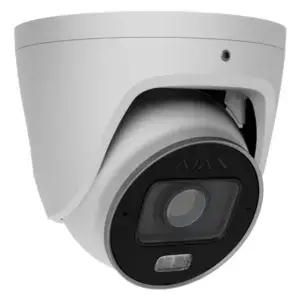
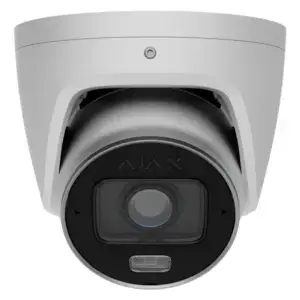
The IndoorCam in pictures
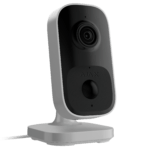
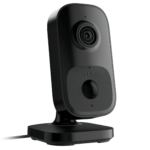
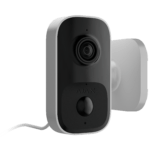
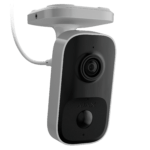
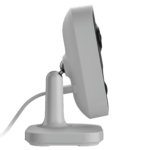
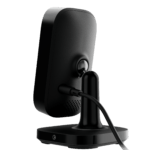
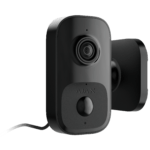
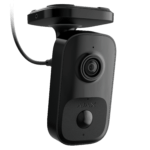
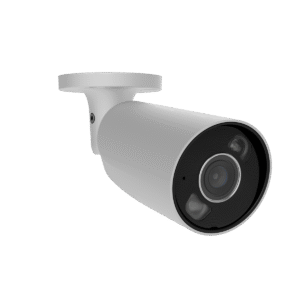
The camera from the front and side, plus wall and ceiling mounting.


Self-installation
The IndoorCam is for indoor use only; do not place it in direct sunlight. With the supplied bracket you mount it on a wall or ceiling, or place it on a table. Connect the supplied 12V power supply, pair the camera via Wi-Fi in the free Ajax app and you are done. Add it to an Ajax Hub for a backup connection and photo verification when an alarm is triggered.
Free Ajax software
Operate and manage your system on any device, without a subscription.
Ajax Security System
The free app for your smartphone: operate your system on the move, receive notifications and alarms immediately and view live footage from your cameras.
Ajax Desktop
Manage your entire system from your computer: view all your cameras in one customisable video wall, receive real-time notifications and arm or disarm with a single click.
Ajax TV
View the footage from your security cameras on an Android TV screen and keep continuous watch over your home or business on the big screen.
Ajax Media Player
Play videos that you have saved from your Ajax cameras and use a digital signature to check that the footage has not been tampered with.
Technical specifications
| Image | |
| Image sensor | 4 MP CMOS |
| Max. resolution | 2688 x 1520 px (4 MP) |
| Field of view | Horizontal 110°, vertical 60° |
| Dynamic range | HDR |
| Night vision | Smart IR, up to 8 m |
| Video codec | H.264 |
| Video protocol | JetSparrow (encrypted peer-to-peer) |
| Detection and audio | |
| AI object recognition | People, animals and vehicles |
| Motion detection | PIR sensor plus image analysis, up to 4 m, 3 sensitivity levels |
| Alarm verification | Records when Ajax detectors trigger an alarm (via hub) |
| Audio | Two-way, microphone and speaker (G722), noise and echo suppression |
| Connection and storage | |
| Wi-Fi | 802.11 b/g/n, 2.4 GHz |
| Backup channel | Jeweller and Wings (when paired with an Ajax hub) |
| Storage | Ajax NVR or Ajax Cloud, no microSD |
| Power supply and housing | |
| Power supply | 12 V DC (± 20%), 1 A, power supply included |
| Mounting | Bracket for wall, ceiling or table, indoor use only |
| Dimensions | 128 x 74 x 76 mm |
| Weight | 235 g |
| Operating temperature | 0 to +40 °C |
| Humidity | Up to 90%, non-condensing |
| Security | mTLS encryption, Secure Boot, authentication via Ajax Cloud |
| Colour | White or black |
Which Ajax camera suits you?
Indoor
The IndoorCam (this page), Wi-Fi indoor camera with AI and PIR.
Frequently asked questions about the IndoorCam
Do I need an Ajax Hub?
No. The IndoorCam works independently via wifi. If you add it to an Ajax hub, it gets a backup connection (Jeweller and Wings) and starts recording automatically when an alarm is triggered.
Where are the images stored?
On an Ajax NVR (local video archive) or in the Ajax Cloud. The camera has no microSD slot.
Does the camera also work outdoors?
No, the IndoorCam is for indoor use only and must not be exposed to direct sunlight. For outdoor use, choose the TurretCam or BulletCam.
Does the camera have night vision?
Yes. Smart IR night vision gives a clear view up to 8 metres and adjusts the intensity automatically.
Does it recognise people and pets?
Yes. The built-in AI recognises people, animals and vehicles. You choose which objects you receive a notification for.
Is the camera also available in black?
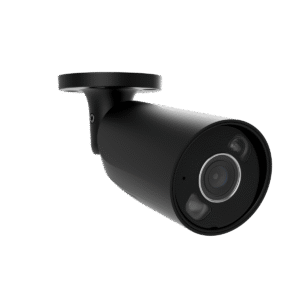
Yes. You choose white or black at the top of this page.
In the box
Ajax IndoorCam
The camera itself, in white or black.
Power supply
12V-voedingsadapter.
Installation kit
Mounting bracket, screws and wall plugs.
Quick start guide
Quick start guide to get started quickly.















Marc (verified owner) –
Does what it should do, sharp image
Rob (verified owner) –
Good product, and with Peter's help the installation was straightforward.