
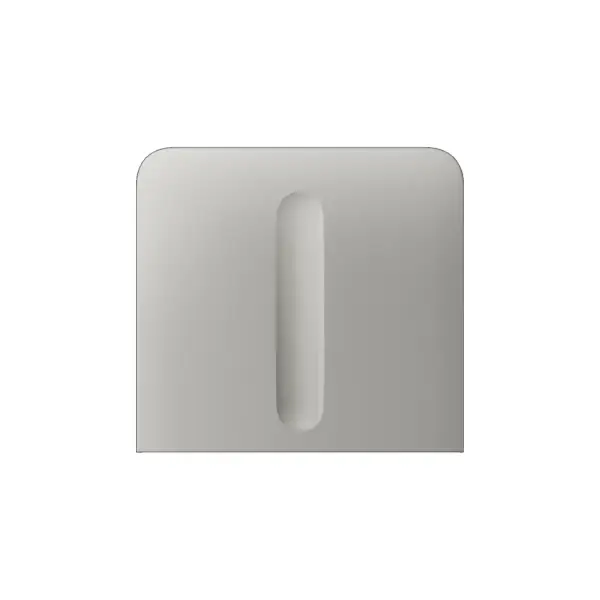
Ajax LightSwitch Buttons vertical Oyster Grey: the vertical touch panel in oyster grey
The touch panel (Button) is the visible front of the Ajax LightSwitch, here in oyster grey and in the vertical design. The panel contains the touch sensor, the radio antennas and the LED backlight, and clicks onto the LightCore module.
A LightSwitch consists of two parts: the LightCore (the flush-mounted module with electronics and relay) and this Button panel. The vertical version is intended for vertically mounted cover frames; you choose the type that suits your setup when ordering. You can replace the panel later without cutting the power, so you can change colour whenever you wish.
SideButton or CenterButton: which type should you choose?
SideButton
For the outer positions of a vertical cover frame with multiple LightCores or sockets. Choose 1-gang, 2-gang or Dimmer, to match your LightCore.
CenterButton
For the positions in between in a vertical frame with three or more sections. This keeps the whole neat and even.
Build your Ajax switch set
With the Ajax configurator, you drag switches and sockets into a cover frame, choose the colour and see straight away what your set looks like. Send your configuration to us or save it as a PDF.
Choose the colour that suits your interior

Technical specifications
| Touch panel (vertical) | |
| Colour | Oyster grey |
| Type | Vertical |
| Component | Front of the Ajax LightSwitch (clicks onto the LightCore) |
| Contains | Touch sensor, radio antennas and LED backlighting |
| Control | Touch and contactless (hand within 15 mm) |
| Types | SideButton and CenterButton, in 1-gang, 2-gang and Dimmer |
| LightCore | To be ordered separately |
| Swapping | Without switching off the power |
Frequently asked questions
Is the LightCore included?
No. This is the touch panel only. You order the LightCore (the flush-mounted module) separately, in the variant that suits your wiring.
What is the difference between SideButton and CenterButton?
In a multi-gang cover frame, use SideButtons on the outside and CenterButtons for the positions in between. You have the number (1-gang or 2-gang) connected to your LightCore.
What does the vertical version mean?
This panel is intended for a vertically placed cover frame. For a horizontal arrangement, choose the horizontal LightSwitch Buttons.
Can I change the colour later?
Yes. The panel clicks on and off without switching off the power, so you can swap the colour whenever you want.
Does this work without an Ajax alarm system?
The LightSwitch is a Jeweller device and works with an Ajax hub. Control and automation run through the Ajax app.







Reviews
There are no reviews yet.