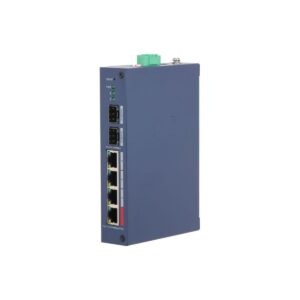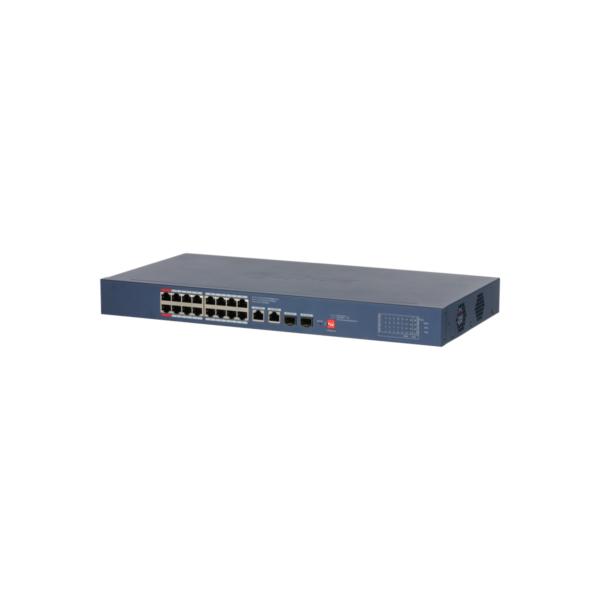
Dahua CS4220-16GT-240-V2 Cloud Managed 16x Gb PoE 240W 2x SFP 2x RJ45 Uplink
The Dahua CS4220-16GT-240-V2 is a powerful managed PoE switch for professional networks. With 16 Gigabit PoE ports, 2 RJ45 uplinks and 2 SFP uplinks, this switch offers a great deal of flexibility for cameras, access points and other PoE equipment.
What you can do with it
This is a Layer 2 cloud managed switch with 20 ports, 16 of which are Gigabit PoE ports. The switch supports IEEE 802.3af/at/bt and Hi-PoE, with up to 90W on ports 1 and 2, and is suitable for desktop or rack mounting. This Gigabit PoE switch is designed for stable and efficient networks. Features such as LLDP topology management, PoE Watchdog, STP/RSTP, link aggregation and Long Distance PoE up to 250 metres help keep the network clear, reliable and easy to manage.
What this switch does
- 16× Gigabit PoE ports, 2× RJ45 uplink and 2× SFP uplink
- 240W total PoE budget with support for 802.3af/at/bt and Hi-PoE
- Cloud management via DoLynk Care and web-based GUI
- PoE Watchdog and LLDP for smart management and automatic fault detection
- 40 Gbps switching capacity and Long Distance PoE up to 250 metres
The details at a glance
| PoE ports | 16 |
| PoE budget | 240 W |
| Uplinks | 2 |
| Management | cloud, via DoLynk Care |
| Cable range | up to 250 m in extend mode |
| Model code | CS4220-16GT-240-V2 |
The full specification is in the Dahua datasheet.
What you will receive
- Switch
- Power cable
- Rackmount kit
Frequently asked questions
How many cameras can I power with this?
This switch has 16 PoE ports with a combined 240 W. Add up the power consumption of your cameras and stay below that figure. A standard bullet or dome camera uses around 6 to 12 W, while a PTZ camera or a camera with lighting uses considerably more.
Do I still need a power supply for each camera?
No. With PoE, power and data run over the same network cable, so you do not need a power socket at the camera. Only the switch itself is connected to the mains.
Do I need to configure the switch?
Not for ordinary use: connecting it is enough. If you want to monitor it remotely or manage the ports, you register it in DoLynk Care.
Which cable do I need?
Network cable of at least category 5e, installed as fixed wiring. For outdoor use or underground, choose a cable that is made for that purpose. If you are unsure, call or email us and we will help you decide.
Can I mount this switch in a rack?
Yes, rack mounting is supported. A rackmount kit is included.