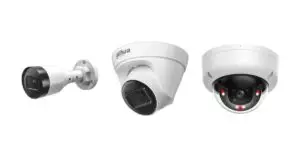
An NVR is a Network Video Recorder. An NVR ensures that the camera images are recorded. You can view these images again via your smartphone or computer. Some NVRs can now even recognise faces, count people and much more.
In this blog article we help you choose the best NVR for your situation. Click the buttons below to go straight to the section that matters most to you. Or read the whole article to learn everything about NVRs.
All the important features of an NVR
The features of an NVR largely determine which one you need.
Channels
The number of channels is the number of cameras that can be connected to the NVR. The channel is literally the input of the NVR. An NVR with 4 channels can, for example, record 4 camera video streams at the same time.
If you currently have 5 cameras, you need an NVR that supports 8 channels. Always leave room to expand your system.
Overview of channels
Practical & clear- Type of NVR - Max. number of cameras - Suitable for
- 4 channel NVR - 4 - Small homes, offices and shops
- 8 channel NVR - 8 cameras - Medium-sized homes, offices and shops
- 16 channel NVR - 16 cameras - Large homes, offices or shops
- 32 channel NVR - 32 cameras - Apartment buildings, business parks or schools
- 64 channel NVR - 64 cameras - Shopping centres, factories and industrial purposes
- 128 channel NVR - 128 cameras - Airports, stadiums and large government buildings
Resolution
The resolution is the quality of the image that is supported. If, for example, you have cameras that record in 4K, the NVR must be able to handle this too. The NVR processes and stores the footage.
Higher resolution footage takes up more bandwidth and storage space. The more channels you have, the greater the total load on your network. Do you also want to store this footage? Then you need a lot of storage space, which leads neatly on to the next topic.
Video compression
H.264 and H.265 are video compression standards used for encoding and decoding.
Advantages of H.264
- H.264 offers a good balance between compression efficiency and quality
- Well suited to HD video and streaming services
- High video quality at reasonable bitrates
- Compatible with a wide range of devices and platforms, including older hardware and software
- Less processing power required
Advantages of H.265
- Generates smaller files, but requires more processing power.
- Improves video quality, especially at higher resolutions such as 4K and 8K
Storage capacity
The storage capacity of your hard drive is crucial for your camera surveillance system. Answer the following questions for yourself:
- How many cameras do you need?
- How long do you want to keep the footage?
- At what resolution do you want to store the footage?
Formula for calculating storage space:
- You have 4 cameras with a bitrate of 3Mbps.
- You want to record 24 hours a day and keep the recordings for 30 days.
- Formula: 4 (cameras) * 3 (Mbps) * 24 (hours) * 30 (days) = +/ 105GB
Please note: this is only a basic calculation.
For precise and more complex situations, we always advise you to contact our customer service.
Network requirements
The right network requirements are needed for an NVR to work properly, especially when you connect several IP cameras. Keep the following points in mind.
Bandwidth
Bandwidth affects the transmission of video, the quality of the video and the ability to view footage remotely. The more cameras and the higher the quality, the more bandwidth you need for the system to work properly.
Your NVR needs sufficient bandwidth when you want to view the footage remotely. Pay particular attention to the upload speed. If it is not sufficient, you will get footage that stutters or is of lower quality.
Formula for calculating bandwidth:
- Look up the bitrate of your camera (see our product pages)
- Multiply the bitrate by the number of cameras
- Add a buffer (allow for 20-30%)
Example: camera with a bitrate of 4 Mbps * 10 cameras = 40 Mbps (+20% = 48 Mbps)
Looking for a good security camera?
Affordable, secure & surprisingly good service
Functionalities
AI
AI is nowadays used at every opportunity, but many of the Network Video Recorders we sell do contain an AI that genuinely helps you. Below you will find an overview of all available functions. Always check the product page to see which functions apply.
Face detection
With face detection, faces are stored in a database. You can then easily filter these faces and assign a name to them. Useful for friends, family, acquaintances and colleagues.
Face recognition
With facial recognition you can play back footage, or upload an image of a face to see when someone was in view.
Database of faces
In the interface you can create up to 10 databases. Each database can store up to 20.000 face photos. That is more than 200.000 people.
Smart Motion Detection+
With Smart Motion Detection+ from Dahua, you can be sure of a surveillance system without false alerts. This smart system only sends alerts when people or vehicles are present in a protected area. Severe weather, animals and other natural elements are filtered out automatically by Smart Motion Detection+.
People counter
The Dahua People Counter counts how many people are in the area. Very useful for the following purposes:
- Crowd control
- Queue management
- Counting people in an area
- Monitoring of a staffed workstation
Heat map
A heat map helps you recognise patterns and trends in where most people go. Useful, for example, in a supermarket. Where do your customers go, and how can you make their route as profitable as possible?
Heat maps can also be very valuable for an entrance. If there is an entrance that is used less, you may find, for example, that it is less visible to your customers. By placing a sign there, your customers will get inside more quickly.
Interface / app
The interface is where you manage your security cameras. In the interface you can, for example:
- Viewing live images
- PTZ control (if you use PTZ cameras)
- Recording management
- Playback of recordings
- Receive notifications and alarms
- Set up face detection
- Face recognition
- Heat map
- People counter
The functions naturally differ per NVR brand and per interface / app you use.
Ajax Systems interface
Or watch this video for an impression of the Dahua interface
Network switch
You use a network switch with an NVR when several IP cameras need to be connected and managed. Particularly in larger installations where the NVR does not have enough ports, a network switch is very useful.
PoE
Our network switches have Power over Ethernet (PoE) ports. PoE means that the camera receives its power via the network cable. This means only one cable needs to be run to get the camera working.
Hard drive
With a hard drive in your NVR you can store footage for longer. The best hard drive for an NVR is the WD Purple.
WD Purple drives are specially designed for 24/7 video surveillance. They withstand temperature fluctuations and vibrations, which occur frequently in NVR environments. Unlike 'normal' hard drives, which only run for short periods, these drives are suitable for continuous use in security systems that are active day and night.
Brands
We work most often with Ajax Systems and Dahua NVRs. Both systems work well together and support the Onvif protocol.
Dahua NVR
Our range of NVRs consists mainly of Dahua models. We are strong supporters of Dahua. Dahua is a well-known and respected brand in the world of security cameras.
Thanks to their innovative developments, they always stay ahead of the latest trends among burglars and other malicious parties. Technologically, they are already far advanced with AI, deep learning and other smart analysis tools.
The compatibility and affordable price of the Dahua NVR make it a very suitable choice for many purposes. View all Dahua Network Video Recorders here.
Ajax NVR
The Ajax NVR is designed for homes and offices with up to 16 cameras. The Ajax NVR works with any other Onvif camera.
Ajax Systems works best with its own products. View all Ajax cameras here.
NVR stands for Network Video Recorder. It is a device to which you connect IP cameras, so that you can play back camera footage.
Onvif stands for Open Network Video Interface Forum. It is a protocol that allows IP-based security products to communicate with each other. This includes NVRs and IP cameras, among others.
This differs per situation. Do you already have a particular brand? In that case we often advise choosing an NVR of the same brand, or an NVR that supports Onvif. One of the most important features is the number of channels on an NVR, as one camera can be connected to each channel. At the top of the page we give more information and explanation on this.
Example 720p camera (H.264 compression): for continuous recording at 30 FPS and a bitrate of 4 Mbps, you need approximately 648 GB of storage for 30 days of recordings (0.9 GB per hour = 21.6 GB per day = 648 GB per month)
Example 1080p camera (H.264 compression): for continuous recording at 30 FPS and a bitrate of 4 Mbps, you need approximately 1.296 TB of storage for 30 days of recordings (1.8 GB per hour = 43.2 GB per day = 1.296 TB per month).
Example 4k camera (H.265 compression): for continuous recording at 30 FPS and a bitrate of 8 MBps, you need approximately 2.592 TB of storage for 30 days of recordings (3.6 GB per hour = 86.4 GB per day = 2.592 TB per month)
Please note: the formula above is a basic calculation with one camera. Do you need help with your specific situation? Then please contact our customer service.
There are 3 ways to log in to an NVR.
1. Logging in locally
You can log in locally if you connect a monitor and mouse to the NVR. Once the NVR has started up, you will arrive at the login screen.
2. Logging in via a web browser
Connect your NVR to a network using an ethernet cable. Go to your computer, open a browser and enter the IP address of your NVR. You can find the IP address in the manual of your NVR.
3. Logging in via the app on your phone
Download the app on your smartphone / tablet. Open the app and create an account. Enter the correct details, such as:
- IP address
- Username
- Password
Some apps make this easier by letting you scan a QR code. Always check the manual.
You can determine the best location for an NVR by answering the following questions:
- Where is the NVR safe?
- Where is there sufficient ventilation?
- Is the NVR easily accessible to you?
- Is the NVR the central part of your camera system?
The number of cameras an NVR can handle depends on the number of channels the NVR supports. We always state this in the product title and on the product page. In some cases an NVR supports more cameras than can be physically connected to the NVR. In that case you need an additional network switch.
An NVR (Network Video Recorder) is suitable for IP cameras (also called network cameras). A DVR (Digital Video Recorder) is suitable for analogue cameras.
Yes. The great advantage of an NVR is that you can view the images online via your network. For this, the NVR must be connected to a router
You connect an NVR to your modem / router with a network cable. This gives a more stable connection than when you use a WiFi NVR.
- Connect the NVR to your router or network switch with an Ethernet cable.
- Connect the NVR to a power socket.
- Connect a mouse and monitor (for local configuration)
The best NVR software is always the software that belongs to the same brand. Manufacturers match their own hardware to each other, and this offers advantages for the software.
Both our Dahua NVR and Ajax NVR can be connected to surveillance cameras of other brands, as long as they support the Onvif protocol.

Peter Meijer
Founder of Secures & YTEE. Expert in alarm systems, surveillance cameras and burglary protection for homes and commercial premises.