


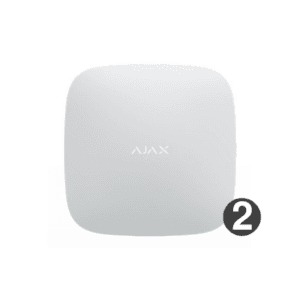
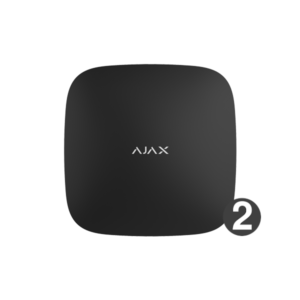
Ajax Hub 2 (4G): the control panel with photo verification
The Hub 2 (4G) is the smart heart of your Ajax system. It monitors all your detectors over the encrypted Jeweller radio and sends photo evidence with an alarm, so you can see straight away what is happening.
The Hub 2 (4G) connects via a fixed internet connection (Ethernet) and has two SIM cards as mobile back-up over 2G, 3G or 4G/LTE. With MotionCam photo verification you receive photos with an alarm. You set it up in the free Ajax app; detectors are paired with one click. The system is protected at software level and switches frequency automatically when jammers are present. For most homes this is the logical choice.
Why the Ajax Hub 2
Photo verification (MotionCam)
In the event of an alarm, MotionCam detectors send photos via the Wings radio. This lets you see straight away whether something is actually wrong.
Jeweller radio
Encrypted two-way radio with dynamic key. Range of up to 2000 m in open terrain and automatic frequency hopping in case of jamming.
Ethernet plus 4G
Three channels: a fixed internet connection and two SIM cards with 2G, 3G and 4G/LTE as mobile backup. Switches over automatically.
No subscription
Control and configuration via the free Ajax app. You only need a SIM card for the mobile backup.
Backup during a power failure
The built-in Li-ion battery keeps the system active for up to 15 hours if the power fails.
Up to 100 devices
Manages up to 100 Ajax detectors, 50 users and 9 security groups. Suitable for a medium to large home.
The Hub 2 (4G) at a glance
The panel from the front, side and back, plus an impression of the installation with the SmartBracket mount.


Self-installation
The Hub 2 (4G) is intended for indoor mounting. Hang it using the supplied SmartBracket mount, connect the mains power supply and the network cable, and insert one or two micro SIM cards if you want mobile back-up. Then pair the Hub in the free Ajax app (iOS and Android) and add detectors with one click. Mounting materials are included in the box.
Free Ajax software
Operate and manage your system on any device, without a subscription.
Ajax Security System
The free app for your smartphone: control your system on the go, receive notifications and alarms immediately and watch live footage from your cameras.
Download on theApp StoreGet it onGoogle PlayAjax Desktop
Manage your entire system from your computer: view all your cameras in one customisable video wall, receive real-time notifications and arm or disarm with a single click.
Download forWindowsDownload formacOSAjax TV
View the footage from your security cameras on an Android TV screen and keep your home or business in continuous view on the big screen.
More infoAjax TVAjax Media Player
Play back videos that you have saved from your Ajax cameras and use a digital signature to check that the footage has not been tampered with.
More infoAjax Media PlayerTechnical specifications
| Capacity | |
| Wireless Ajax devices | Up to 100 (of which a maximum of 10 sirens or keypads with siren and 5 range extenders) |
| IP cameras or recorders | Up to 25 (Dahua, Hikvision, Safire, EZVIZ, Uniview, with RTSP) |
| Users | Up to 50 |
| Security groups | Up to 9 |
| Rooms | Up to 50 |
| Automation scenarios | Up to 32 |
| Photo verification (MotionCam) | Supported, MotionCam via Wings radio |
| Wireless communication | |
| Technology | Jeweller and Wings, two-way with block encryption and dynamic key |
| Frequency band | 868.0-868.6 MHz (depending on region) |
| Modulation | GFSK |
| Transmit power (ERP) | Up to 20 mW |
| Jeweller radio range | Up to 2000 m in open space |
| Wings radio range (photos) | Up to 1700 m in open terrain |
| Anti-jamming | Automatic frequency change (frequency hopping) |
| Communication channels | |
| Ethernet | 1x RJ45 (8P8C), up to 100 Mbps |
| Mobile | 2x micro SIM card, 2G/3G/4G (LTE) |
| 2G-banden | GSM 900 / DCS 1800 (B3/B8) |
| 3G-banden | WCDMA 850/900/2100 (B1/B5/B8) |
| 4G bands (LTE) | FDD B1/B3/B5/B7/B8/B20 |
| Channel priority | 1. Ethernet, 2. mobile, both active in parallel; instant switchover |
| Power supply | |
| Main power supply | 110-240 V AC, 50/60 Hz, up to 10 W |
| Backup battery | Built-in Li-ion polymer 3.7 V, 3 Ah, up to 15 hours offline |
| Housing | |
| Mounting | SmartBracket mounting plate, indoor use only |
| Dimensions | 163 x 163 x 36 mm |
| Weight | 362 g |
| Operating temperature | -10 to +40 °C |
| Humidity | Up to 75% |
| Protection class | IP20 |
| Colour | White or black |
Manual and compatibility
Which Ajax Hub suits you?
Compact and wireless, keenly priced
The Hub (2G) is the affordable entry-level option without photo verification, for a small, fully wireless system.
You want photos on an alarm
From the Hub 2 (4G) (this page) onwards you get photo verification with MotionCam. The logical choice for most homes.
Large or complex premises
The Hub 2 Plus (4G) adds Wi-Fi as an extra channel, for maximum redundancy.
Wired system (Fibra)
The Hub Hybrid (4G) combines wired Ajax Fibra with wireless Jeweller, for professional installations.
The Ajax hubs compared
The difference between the hubs lies mainly in the connection (Ethernet, wifi, 2G or 4G), photo verification with MotionCam, the capacity and the system type (wireless only or hybrid with wiring).
| Model | Connection | Wi-Fi | MotionCam | System type | Suitable for |
|---|---|---|---|---|---|
| Hub (2G) | Ethernet + 2G (1 SIM) | No | No | Wireless | Entry level, small system without photo verification |
| Hub (4G) | Ethernet + 2G/4G (1 SIM) | No | No | Wireless | Small system with strong mobile back-up (LTE) |
| Hub 2 (2G) | Ethernet + 2G (2 SIM) | No | Yes | Wireless | Medium-sized, with photo verification |
| Hub 2 (4G) this model | Ethernet + 2G/3G/4G (2 SIM) | No | Yes | Wireless | Medium-sized, photo verification plus LTE back-up |
| Hub 2 Plus (4G) | Ethernet + Wi-Fi + 4G (2 SIM) | Yes | Yes | Wireless | Large or complex, maximum redundancy |
| Hub BP (4G) | 4G only, no network cable (2 SIM) | No | Yes | Wireless | Locations without mains power or cabling, runs on battery |
| Hub Hybrid (4G) | Ethernet + 4G (2 SIM) | No | Yes | Hybrid (wired + wireless) | Professional, (partly) wired Fibra systems |
MotionCam stands for photo verification: in the event of an alarm, the system sends photos along, so you can see immediately whether something is really wrong. Only the Hub 2 models and newer support this.
Frequently asked questions about the Ajax hubs
What is the difference between the Hub and the Hub 2?
Compared with the original Hub (2G and 4G), the Hub 2 adds two things: photo verification with MotionCam and a second SIM card. The original Hub does not support MotionCam. If you need photos with an alarm, choose at least a Hub 2 (4G).
What is the difference between the Hub 2 and the Hub 2 Plus?
The Hub 2 Plus adds Wi-Fi as a fourth communication channel (alongside Ethernet and two SIM cards) and has a higher capacity. This makes it suitable for large or complex installations. For an average home, the Hub 2 (4G) is more than sufficient.
Which hubs support photo verification (MotionCam)?
MotionCam photo verification works on the Hub 2, Hub 2 Plus, Hub Hybrid and Hub BP. The original Hub (2G) and Hub (4G) do not support it.
2G is being phased out. Will my 2G hub still work?
Yes. A 2G hub keeps working fully over the network cable (Ethernet); only the 2G mobile back-up stops once the 2G network is shut down. For new installations we recommend a 4G model, such as the Hub (4G) or Hub 2 (4G).
Do I need a subscription?
No. The Ajax app is free and requires no subscription. You only need an M2M SIM card if you want to use the mobile back-up (2G or 4G) alongside your internet connection.
What is the Hub Hybrid?
The Hub Hybrid is the only Ajax hub that combines wired Ajax Fibra with wireless Jeweller devices. With it you build a hybrid system, useful for professional or (partly) cabled installations and for thick walls of steel or concrete.
In the box
Ajax Hub 2 (4G)
The panel itself.
SmartBracket mounting plate
Mounting panel for wall mounting.
Power and network cable
Mains power cable and an Ethernet cable.
Installation kit
Screws and wall plugs for mounting.
Quick start guide
Quick start guide to get started quickly.











Brian (verified owner) –
Great, works well.
Bas Sollie (verified owner) –
Easy to install
Mark Scheffer (verified owner) –
Works perfectly
Hasan Demircan (verified owner) –
👍top product
Rose Koenen (verified owner) –
Compact size
Arno (verified owner) –
good system, not difficult to install at all