


Ajax Button: original replacement battery
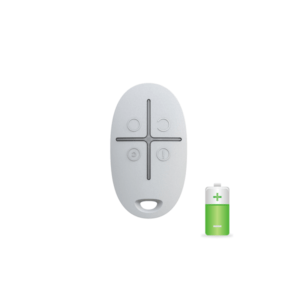
The right battery for your Button (panic/control button). The same CR2032 type that Ajax pre-installs, so you keep the stated service life and reliability.
Fit it again in a few minutes: open the battery cover, remove the old cell, insert the new one, close the cover. The Hub and the Ajax app themselves report well in advance that the battery is almost empty.
Technical specifications
| Battery | |
| Type | CR2032 |
| Quantity | 1 piece |
| For device | Ajax Button |
| Service life (manufacturer's specification) | up to 5 years |
| Pre-installed type | Yes, original Ajax type |
How to replace the battery
Step by step according to the Ajax manual:
- Pry the two halves of the housing apart with a thin, flat object.
- Remove the empty battery.
- Insert a new CR2032; the + marking on the battery must face the + on the circuit board.
- Reassemble the Button and test it by pressing the button. Notify the alarm receiving centre and users in advance, and if necessary disable siren activation in the Button settings.
- Check the battery status in the Ajax app; it is only updated after the button has been pressed.
Would you like the manufacturer’s original instructions with photos? View the Ajax manual.
Frequently asked questions
Is this the same battery as the pre-installed one?
Yes. Ajax supplies the Ajax Button with a pre-installed CR2032. With the same type you keep the battery life stated by the manufacturer (up to 5 years).
When should I replace them?
Your Ajax app and Hub will give a low battery notification well in advance. Then replace the cell with this exact type. The manufacturer's stated battery life is up to 5 years, depending on use and settings.
How many are in this pack?
1 piece CR2032, exactly enough for one Button.









Isabelle L. (verified owner) –
They last a long time.